Payout schedule and bank account
Monthly, weekly, or daily deposits by plan tier. Each agency account settles to one bank account, and changing that account requires two authorized contacts.
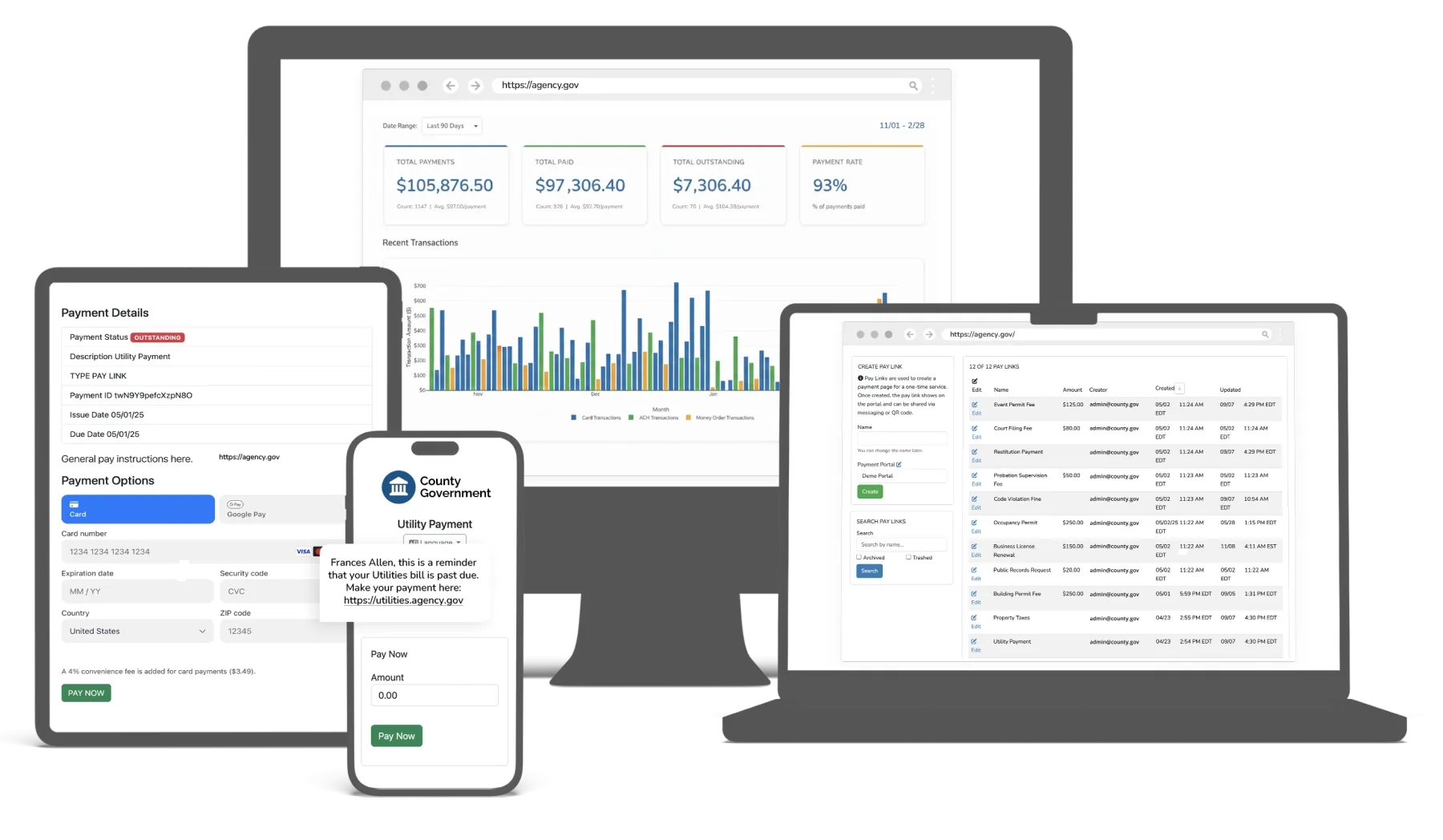
Need to pay a fine, fee, or bill? Use the link on your notice or your agency’s website.
Information for people making a payment
GovPayPlan is the payment processing platform of eCourtDate for courts and government agencies. Agencies accept fines, fees, taxes, and bills online, at the counter, and in the field. Processing fees are paid by the payer as a disclosed convenience fee, and your agency receives the full amount owed. Rates are published on this site and fixed for the term of your Service Plan.
$2.00 minimum on card paymentsPCI DSS Level 1 certified processingMost agencies live within days
An agency payment portal as payers see it. Example agency and amounts.
Each solution page describes the payment types, workflows, and reports that apply to that kind of agency, with the questions its staff ask most.
Fines, fees, restitution, and bonds with case-linked records and payment plans.
Read moreSupervision and program fees collected in small amounts, on schedules, in the office and in the field.
Read morePermits, citations, licenses, and general receivables across departments.
Read moreWater, sewer, and electric payments with recurring plans and reminders.
Read moreProperty tax, licenses, and fees, with fund-level reports and a settlement statement for each deposit.
Read moreRecording fees, licenses, and permit payments tied to the application record.
Read moreA payment made online, at the counter, in the field, or by mail is recorded once and produces a standard receipt. Staff reconcile from one daily report.
Payers look up what they owe and pay by card, wallet, Cash App, or bank account. Available at all hours in more than 100 languages.
EMV chip, contactless, and magstripe at staffed windows. Card data is encrypted inside the device and is not stored on agency systems.
Wireless terminals for probation visits, court events, and satellite offices. If a unit fails, a configured replacement ships before the old one is returned.
Cashier users record cash, checks, and money orders alongside card payments. No processing fee applies.
Three plan tiers, set by annual gross payment volume. The payer pays the percentage rate or the minimum fee, whichever is greater, and the agency receives the full amount owed.
| Plan | Annual volume | Card and wallet | Bank (ACH) | Payouts |
|---|---|---|---|---|
| Standard | Under $100,000 | 5% | 2% | Monthly |
| Preferred | $100,000 and above | 4% | 2% | Weekly |
| Enterprise | $5,000,000 and above | Negotiated | 2% | Daily |
Each payout comes with a settlement statement listing the transactions, fees, refunds, and chargebacks that make up the deposit.
Monthly, weekly, or daily deposits by plan tier. Each agency account settles to one bank account, and changing that account requires two authorized contacts.
Authorized finance users open payout schedules, settlement statements, and transaction-level reports at any time and export them for general ledger posting and audit.
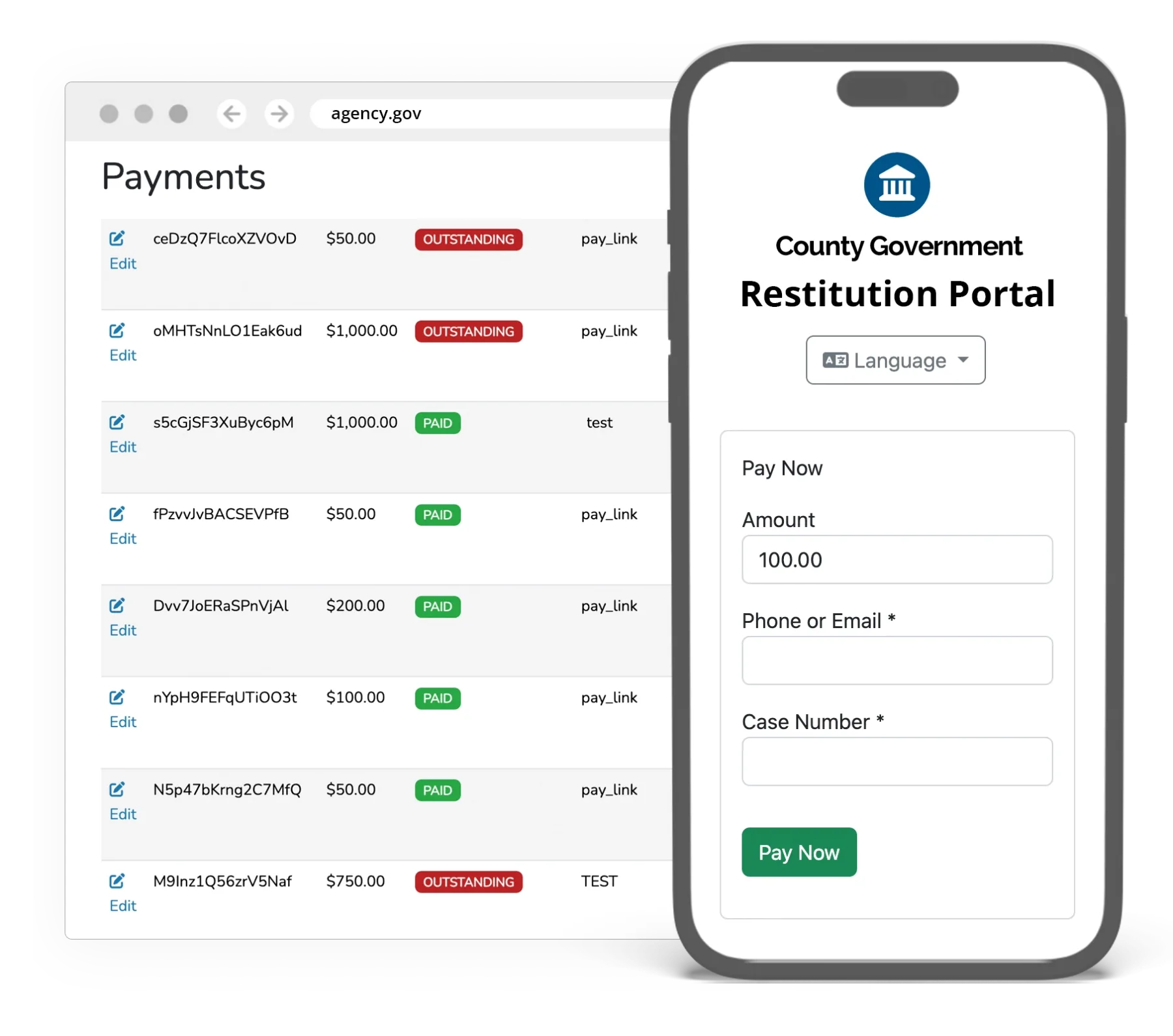
Payment processing runs on PCI DSS Level 1 certified infrastructure. Your staff never see a full card number on screen, on a receipt, or in a report. The terminal encrypts the card before the data leaves the device.
Security and compliance detailsAgencies rated GovPayPlan 4.9 out of 5 in the GovPayPlan customer survey.
Merchant registration, portal configuration, and staff training proceed at the same time.
Merchant registration verifies the agency and links the payout bank account. Approval typically takes about one business day.
Set up payment types, branding, fee disclosure, roles, and terminals. Staff complete live training and have written guides at help.govpayplan.com.
Publish the portal link on your website and notices. Most agencies are accepting payments within days of signing.
Most agencies go live within days. Merchant registration, the step that verifies your agency and links your bank account, is typically approved in about one business day. Portal configuration, branding, and staff training run in parallel, and step-by-step guides are available at help.govpayplan.com.
GovPayPlan is provided under a one-year Service Plan. Processing fee rates are fixed for the duration of the plan.
Yes. The processing fee on each charge is the percentage rate or the minimum fee, $2.00 for card and wallet and $1.00 for bank, whichever is greater. It is never both, and nothing is added on top of the percentage. A $100 card payment on the Preferred Plan carries a $4.00 fee. A $15 card payment carries a $2.00 fee, because 4% would be only $0.60. Minimum fees reflect the fixed per-transaction costs charged by the payment networks, and ours are about half the small-payment minimums common in the industry.
Yes. All payment processing runs on PCI DSS Level 1 certified infrastructure within eCourtDate’s secure environment. Level 1 is the most stringent PCI DSS validation level. Data is encrypted in transit and at rest, card numbers are tokenized, and in-person terminals use point-to-point encryption. Card data does not appear on your staff’s screens or paperwork, which keeps cardholder data out of agency systems and reduces the agency’s PCI DSS scope.
Request a test account to configure a portal with your own payment types, or call to schedule a walkthrough.